
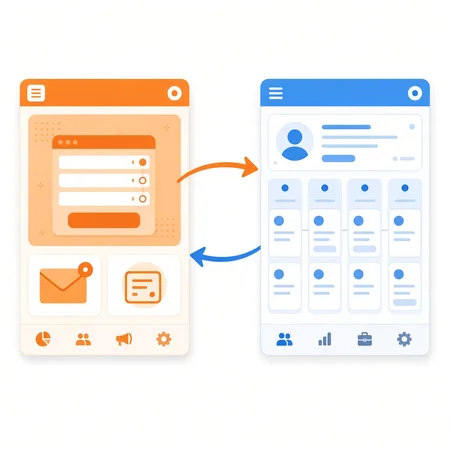
If you're deciding between keeping two systems and moving everything into HubSpot, CRM Switch has a side-by-side HubSpot vs. Salesforce comparison worth reading first.
How the integrations work today
| Salesforce | Microsoft Dynamics 365 | |
|---|---|---|
| HubSpot plan needed | Professional or Enterprise | Any plan, including free |
| CRM side | An edition with API access, or Professional (not Group Edition) | Cloud-hosted on a dynamics.com domain |
| Sync direction | Leads and contacts sync both ways; you set rules per field | One-way or two-way, per object |
| What syncs | Leads, contacts, accounts, opportunities, cases, activities | Accounts, contacts and leads, opportunities, products, activities, invoices, orders |
| HubSpot data inside the CRM | HubSpot Embed window on Salesforce records | Synced fields and activities |
Sources: HubSpot's Salesforce setup guide and Dynamics 365 setup guide.
The five reasons
No more manual lead entry
A form fill on a HubSpot landing page can create or update the lead or contact in your CRM on its own. Nobody copies names from one screen to another, and no lead gets lost because someone was on vacation. In the Salesforce app you choose whether new HubSpot contacts arrive as Salesforce leads or contacts.
Automatic lead assignment
Once the lead is in the CRM, the CRM's own routing takes over. Salesforce uses lead assignment rules (one active rule, with criteria like lead source or state). Dynamics 365 Sales has assignment rules that hand out leads round robin or by seller workload. A lead who downloaded your pricing guide can go straight to the rep who knows pricing.
Lead history your reps can see
Reps get more than what the visitor typed into the form. In Salesforce, the HubSpot Embed window shows the HubSpot timeline on the lead, contact, account or opportunity: emails opened, pages viewed, forms submitted, workflow history. A rep can see what someone read before calling them.
Smarter follow-up
Every return visit and new form fill updates the record. HubSpot's timeline sync sends events like form submissions and email clicks to Salesforce as tasks. Sort a call list by most recent activity and the people who came back yesterday rise to the top.
Closed-loop reporting
Most marketing tools can tell you visit-to-lead rates. The harder question is which campaigns produced customers. When deals sync with Salesforce opportunities or Dynamics opportunities, closed revenue flows back to HubSpot and you can report lead-to-customer rates by source.
Two systems, or one?
The integration works well, but it is still two systems to pay for and keep in sync. Some teams are better off running everything in HubSpot, and some should stay on Salesforce. If you're not sure which camp you're in, CRM Switch helps companies plan and pick a CRM.
Frequently asked questions
Does HubSpot have its own CRM?
Yes. HubSpot's free CRM has no expiration date and covers up to two users and 1,000 contacts. Paid Starter, Professional and Enterprise tiers add features like custom reporting and custom objects.
What do I need to connect HubSpot to Salesforce?
A HubSpot Professional or Enterprise subscription, a Salesforce edition with API access (or Salesforce Professional) and a Salesforce system administrator to install it. Salesforce Group Edition isn't supported.
Can HubSpot sync with Microsoft Dynamics 365?
Yes. HubSpot's Microsoft Dynamics 365 app is available on all HubSpot plans. It syncs companies, contacts, deals, products, activities and more, one way or both ways. Dynamics must be cloud-hosted on a dynamics.com domain.